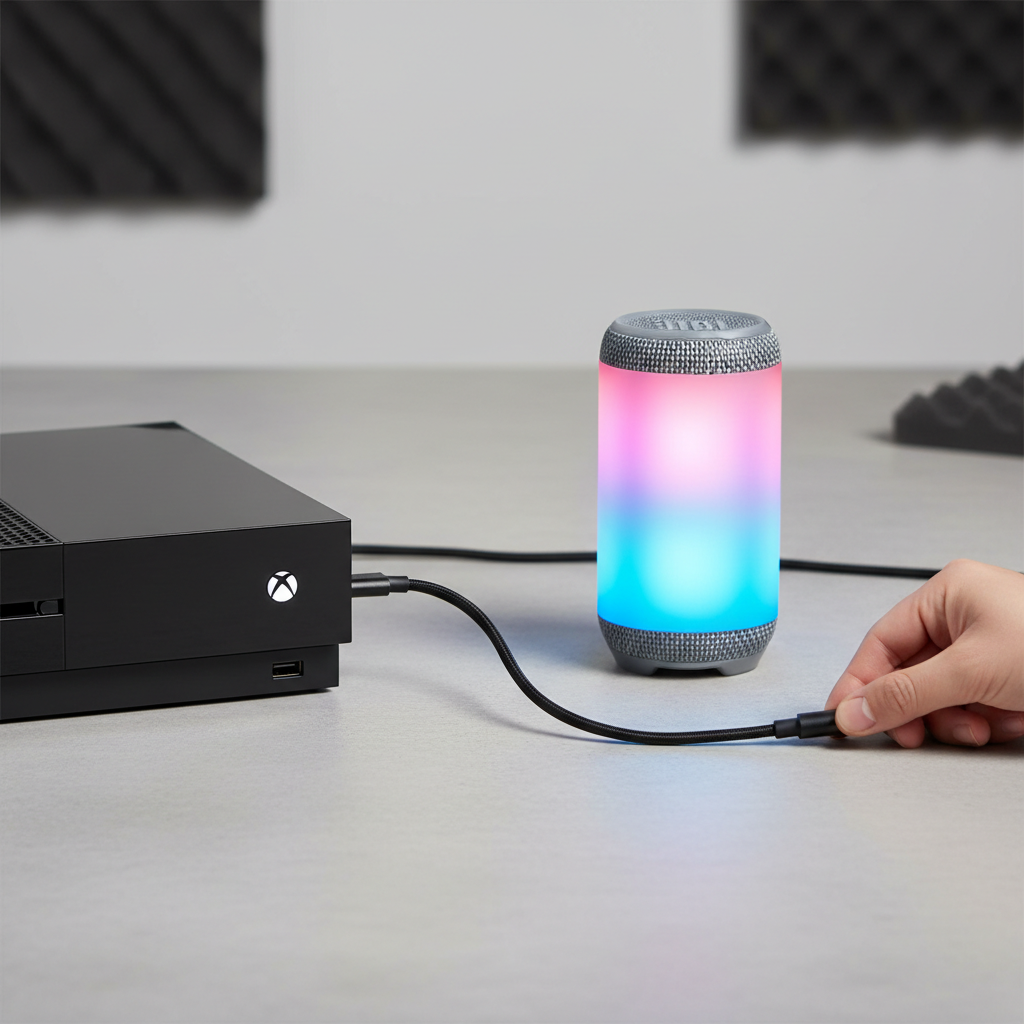
Connecting a JBL speaker to your Xbox One can significantly improve your gaming audio experience, especially if you’re tired of relying on your TV’s built-in speakers. Many users wonder whether a USB-C cable is the right way to make this connection work. The answer depends on your specific JBL model and how the Xbox One handles audio output.
This guide walks you through what actually works, what doesn’t, and the best alternative methods to get your JBL speaker paired with your Xbox One.
Quick Answer
You cannot connect a JBL speaker to an Xbox One using USB-C for audio output. The Xbox One’s USB ports do not transmit audio signals to external speakers. Instead, use a 3.5mm aux cable, optical audio cable, or pair your JBL speaker via Bluetooth through a compatible adapter to get audio working.
Key Takeaways
- USB-C on Xbox One does not carry audio to external speakers, making direct USB-C connection ineffective for this purpose
- The most reliable wired method is a 3.5mm aux cable connected through your TV or receiver
- A Bluetooth audio transmitter plugged into the Xbox One controller or TV can enable wireless JBL connectivity
- Some JBL speakers support optical audio input, which works well with the Xbox One’s optical output port
- Always check your specific JBL model’s available inputs before choosing a connection method
- Understanding active noise cancellation and audio output formats can help you make smarter audio decisions across devices
Why USB-C Doesn’t Work for Audio on Xbox One
What the Xbox One USB Ports Actually Do
The Xbox One includes USB ports primarily for charging controllers, connecting storage devices, and using accessories. These ports are not configured to output audio signals to external speakers, regardless of whether the cable is USB-A or USB-C.
Even if your JBL speaker accepts USB-C input for charging or firmware updates, that connection will not carry an audio stream from the Xbox One. Plugging in a USB-C cable will either charge the speaker or do nothing at all.
Common Misconception About USB Audio
Many people assume that because USB carries data, it can also carry audio to any speaker with a USB port. This is only true in specific scenarios, such as connecting a USB DAC or certified USB audio device to a PC or Mac. Game consoles like the Xbox One do not support this audio output protocol over USB.
How to Actually Connect a JBL Speaker to Xbox One
Method 1: 3.5mm Aux Cable (Most Common)
This is the simplest and most reliable method for most users.
- Connect your JBL speaker to your TV using a 3.5mm audio cable
- Set your Xbox One to output audio through the TV
- The TV then passes audio to the JBL speaker via the aux connection
This works well if your TV has a headphone jack or an aux output port. The audio quality is solid and there is no latency introduced.
Method 2: Optical Audio Cable
If your JBL speaker has an optical (TOSLINK) input, this is one of the best-sounding wired options available.
- The Xbox One includes a dedicated optical audio output port
- Connect an optical cable from the Xbox One directly to your JBL speaker’s optical input
- Go to Xbox One Settings > Display & Sound > Audio Output to configure the signal format
This method supports higher-quality audio formats and bypasses the TV entirely, which can reduce audio processing delay.
Method 3: Bluetooth via Audio Transmitter
If you prefer a wireless setupitter into the Xbox One’s optical port or your TV’s aux output
- Pair the transmitter with your JBL speaker
- Audio will stream wirelessly to the speaker
Keep in mind that Bluetooth introduces a small amount of latency. For casual listening or background music this is fine, but it may feel slightly off during fast-paced gaming.
Method 4: Through an AV Receiver or Soundbar Hub
If you already use an AV receiver or have a more complex home audio setup, you can route Xbox One audio through the receiver and then to your JBL speaker. This is more involved but gives you the most control over audio mixing and volume levels.
For users exploring broader speaker setups, understanding what floor standing speakers offer versus compact options can help frame the right audio investment for your space.
Checking Your JBL Speaker’s Inputs
Before choosing a method, identify which inputs your JBL model supports. Common inputs found on JBL speakers include:
- 3.5mm aux input (most common across all JBL models)
- Optical/TOSLINK input (found on higher-end JBL models)
- Bluetooth (standard on most modern JBL portable and home speakers)
- USB-C (typically for charging only, not audio input on most models)
If you’re unsure about your speaker’s capabilities, check the product manual or the JBL website for your specific model. Knowing your inputs saves time and prevents frustration.
For a broader look at how Bluetooth speakers handle connectivity and audio formats, the guide to Bluetooth speakers for TV covers many of the same principles that apply to gaming consoles.
Does Xbox One Support Bluetooth Audio Natively?
No, the Xbox One does not have built-in Bluetooth audio support. While the controller uses a proprietary wireless protocol, the console itself cannot pair directly with Bluetooth speakers or headphones without an external adapter.
This is one of the most common points of confusion for new Xbox users. A Bluetooth transmitter connected to the TV or optical port is the workaround most people use successfully.
If you are comparing audio gear options for gaming or general listening, reviews like the Sony WH-1000XM4 and the Bose QuietComfort 45 offer useful context on audio quality expectations across different device types.
Conclusion
Connecting a JBL speaker to Xbox One via USB-C is not a functional method because the console’s USB ports do not output audio. The best options are a 3.5mm aux cable, an optical audio connection, or a Bluetooth transmitter paired with your JBL speaker. Each method has trade-offs in terms of setup complexity and audio latency, so choose based on your speaker’s available inputs and your gaming environment.
—
FAQs
Can I use USB-C to connect any speaker to Xbox One for audio?
No. The Xbox One does not support audio output through its USB ports. USB on this console is reserved for storage devices, accessories, and controller charging only.
Does Xbox One have a headphone jack for direct speaker connection?
The Xbox One controller has a 3.5mm headphone jack, but it is designed for headphones, not external speakers. You can use a small adapter to connect a speaker, though volume and signal strength may be limited.
What is the best way to connect a JBL Bluetooth speaker to Xbox One?
The most effective method is using a Bluetooth audio transmitter connected to your TV’s aux output or the Xbox One’s optical port. This lets your JBL speaker receive audio wirelessly without native Bluetooth support from the console.
Will connecting a JBL speaker via optical cable add audio delay?
Optical connections generally introduce minimal latency compared to Bluetooth. For most gaming scenarios, the delay through an optical cable is not noticeable.
Can I connect a JBL speaker to Xbox One through my TV?
Yes. If your TV has an aux output or optical output, you can connect your JBL speaker to the TV while the Xbox One sends audio to the TV through HDMI. This is one of the most common and reliable setups.